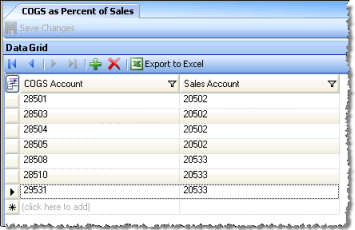
This screen allows you to set up COGS (Cost of Goods Sold) accounts so that they get expressed as percentage of only certain sales accounts. This will enable you to show the cost of beer, for example, as a percentage of beer sales only, rather than as a percent of total sales. These calculations are specifically for the Profit & Loss report.
The screen appears similar to the following:
Select a COGS account from the left-hand column and the corresponding Sales account from the right-hand column. The percent of sales in the P & L report will reflect the cost for the selected COGS account as a percent of the sales for the selected Sales account, for the specified period.