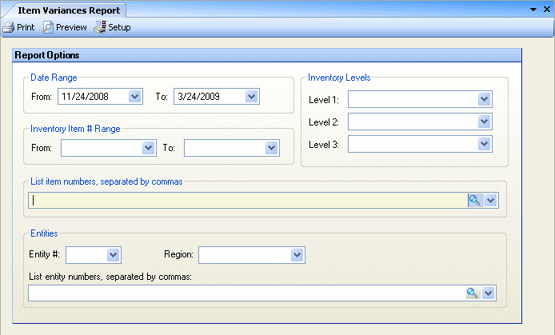
This report displays the information entered in the Item Variance Entry screen for a specified date range. Various filtering options can be applied to limit the data displayed in the report.
Date Range Enter a date range on which to report. This is a required field.
Inventory Item # Range If you would like to view only a specific range of inventory items, select the beginning and ending item numbers. Otherwise, leave blank for all items.
Inventory Levels If you would like to limit your report to specific inventory levels, select the levels from the drop-down options.
List item numbers To include only specific items, click on the finder to select items, or enter item numbers, separated by commas (if more than one).
Entities To limit the report to a particular entity or Enterprise Definition, enter the entity number or Enterprise Definition; otherwise, leave blank for all.