This utility allows you to delete salesmix for a specified date range. This might be necessary, for example, if you discovered incorrect POS mappings after having already polled data. You could correct the mappings, delete the mappings using this utility, and then re-poll the data into Compeat with the correct mappings. Salesmix data must be deleted before re-polling.
Note: Some POS systems purge data after a certain number of days. Depending on your POS system and the time elapsed since polling, you may not be able to re-poll data.
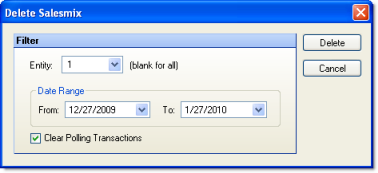
The screen appears similar to the following:
The following options are available:
Enter an entity number to limit the action to the salesmix of a single entity, or leave blank to delete salesmix for all entities in the enterprise.
Enter the date range over which salesmix data should be deleted.
Check "Clear Polling Transactions" to clear polling transactions for the specified date range; this will cause the system to re-poll during the missing-day polling process.
Click Delete to delete salesmix data for the entity and time period specified.