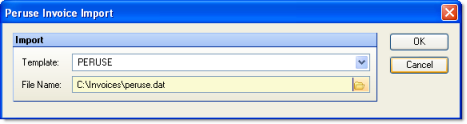
This utility allows you to import invoices for property management from Peruse Software. Before using this feature, you must configure a template on the Invoices screen under Electronic Transmissions. Once configured, the template will be available from the "Template" drop-down list of this screen.
The screen appears similar to the following:
Select the template you wish from the "Template" field.
Navigate to the file you wish to import.
Click OK.
After importing an invoice file, the resulting batch can be found in AP Invoices.